 classmade
Download an offline classroom timer
Save one free, editable HTML file and open it in your browser, even without internet access. There is nothing to install. You can change the activity, starting time, and accent color in a text editor.
Open the timer after downloading
- Download classroom-timer.html to your computer.
- Open the file in Chrome, Edge, Firefox, or Safari. No installation or internet connection is needed after downloading.
- Keep it in your lesson folder or share the file with a colleague. Your copy is independent of this website and doesn’t update automatically.
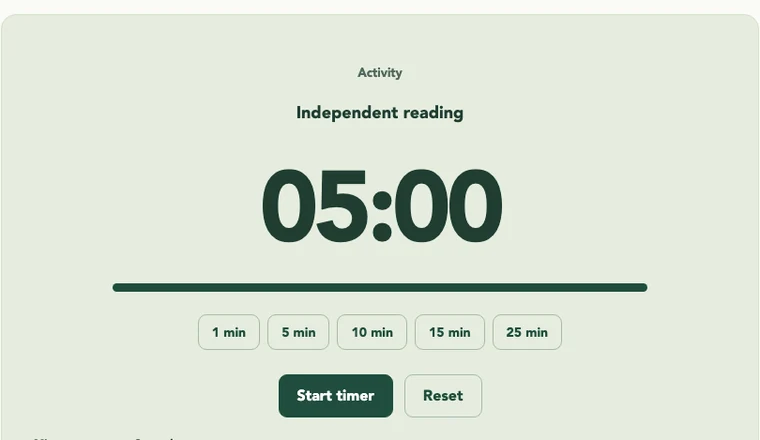
Some school-managed devices restrict downloaded HTML files. If yours does, use the online classroom timer or ask your school’s IT team. Fullscreen and the optional chime depend on your browser settings.
Change the starting activity, time, and colors
- Make a spare copy of the downloaded file before editing.
- Open it in a plain-text or code editor, rather than a word processor. On a Mac, set TextEdit to display HTML files as code.
- Search for MAKE IT YOURS. Change the settings below, keeping the quotes and commas.
- Save it as an .html file, then reopen it in your browser.
const TIMER_DEFAULTS = {
  minutes: 10,
  activity: 'Quiet writing',
  presets: [2, 10, 20],
  accent: '#204d3d',
};
Choose durations from 1 to 180 minutes. The accent is a six-digit color code; use a dark color so white button labels stay easy to read.
Want help making a bigger change?
You can give the downloaded file to a developer or an AI coding assistant with a request like:
“Here is my classroom timer. Add a second activity that starts when the first one finishes. Keep everything in this one HTML file, keep it usable with a keyboard, and don’t add any tracking or external services.”
Try the result before using it in class. Check start, pause, reset, sound, and the display on your classroom screen. Keep student information out of files and prompts.
Explore the source
The downloaded HTML contains the full timer source: its layout, styles, settings, and behavior. If you prefer separate files, you can read the same source used by this website:
Read the app’s README for download and customization instructions. Fork the apps repository to make your own version.
Yours to adapt and share
This code is available under the MIT license. You can use it, change it, and share your version. Keep the included license notice with copies of the code. You don’t need to send your changes back to use them.